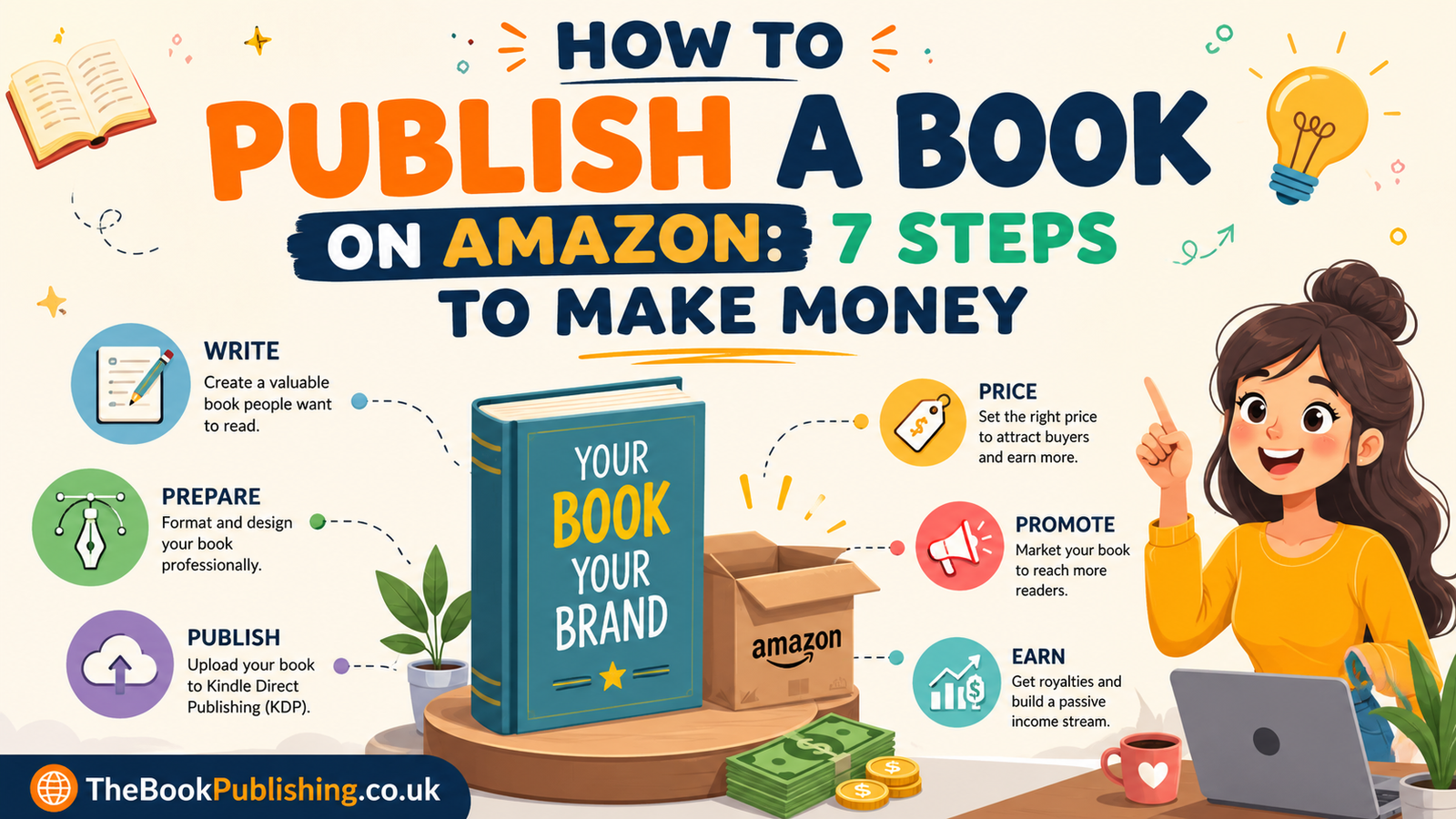
You are at the right page to learn how to publish a book on Amazon for free and make money online. Amazon Kindle Direct Publishing lets you publish any book and sell it to potential readers. Forget involving agents, contacting publishers and spending upfront cost and learn how to publish a book on Amazon and make money with the help of our detailed guide. We talk about exact figures and strategies to self-publish your first book on Amazon as an author.
Can You Publish a Book on Amazon? What You Need to Know First
Before we explore how to publish a book on Amazon for free, let’s talk about what most people worry, can you publish a book on Amazon? The answer is simple: yes, you can publish a book on Amazon and make money by selling eBooks or printed copies. Amazon introduced a reliable platform for authors and publishers that allows you to publish books such as business, fiction, non-fiction, and children’s books with illustrations.
All you need to do is upload your manuscript and wait for approval. After you submit your manuscript, Amazon automatically or manually reviews your book and lets readers see your listings. You can easily publish an eBook, paperback, or hardcover on Amazon and sell them at the price you set. It’s time to learn how to publish a book on Amazon in detail.
How to Publish a Book on Amazon: Step-by-Step
Everyone claims to guide you, but they don’t talk straight; that’s why we developed this guide for how to publish a book on Amazon and make money online. We don’t skip any step and tell you exactly what you need to publish your book on Amazon for free.
1. Finish and Edit Your Manuscript
The first step for how to publish a book on Amazon for free is to upload a complete manuscript. You need to edit and proofread your manuscript before submitting to KDP. Likewise, use Word or Google Docs to format and adjust all the errors.
2. Format Your Manuscript for Kindle and Print
To publish your book on Amazon, you need proper formatting of your manuscript and make it ready for readers. There is a specific type of formatting for different kinds of books.
For eBooks:
- Save your file in DOCX or a compatible eBook format
- Use standard, simple fonts
- Avoid headers and footers, which don’t translate well to reflowable text
- Insert clear page breaks between chapters
For Paperbacks:
Use KDP’s formatting templates, matched to your chosen trim size (6″ x 9″ is a common choice for fiction and non-fiction)
- Number all pages
- Include a title page and copyright page.
3. Design a Cover That Meets Amazon’s Specifications
You cannever compromise your book by publishing it with a poor-looking cover design. That’s why make sure your book cover is professionally designed and grabs attention.
- eBook covers: JPEG format, ideally around 2,560 pixels on the longest side
- Print covers: A single PDF file covering the front, spine, and back
If you want to design your book cover yourself, you can use Canva or a free cover designer tool by Kindle, “Cover Creator.” On the other hand, hiring an expert cover designer can be the best choice if you want to grab readers’ attention.
4. Set Up Your KDP Account
The important step in this guide about how to publish a book on Amazon for free starts by creating an account on Amazon KDP. First of all, sign up on KDP by adding your official email, then complete your author profile, tax information, and payment details. However, you have to add valid tax information on Amazon to earn royalties, so it’s better if you finish this step early, not at the last minute.
5. Upload Your Book
Another step in this detailed guide for how to publish a book on Amazon and make money is to upload your book. Open the KDP dashboard, select “Create,” choose the book you want to publish on Amazon, like eBook, paperbook or hardcover. Then it’s time to fill out all the sections mentioned below:
- Book details: title, subtitle, author name, description, keywords, and category
- Content: your manuscript file (DOCX or PDF) and cover file, previewed using KDP’s built-in previewer
- Pricing and royalties: your chosen royalty option, list price, and marketplaces
6. Choose Your Royalty Rate and Price
Moving on to the step on how to publish a book on Amazon and make money, you need to set up the price for your books. Moreover, you can start by defining your goals set the price and royality options that offer the best returns for your book.
- Set your eBook or print book price
- Choose 70% royalty for eligible eBooks within the qualifying price range
- Choose 35% royalty if your eBook is priced outside the eligible range
- For print books, earn 60% royalty on books priced £7.99+ (printing costs deducted)
- Books priced below £7.99 earn 50% royalty (printing costs deducted)
- Review your earnings before publishing
7. Publish
After you finish every section, it’s time to publish your book by clicking on “Publish” on Amazon KDP. Then the reviewing process starts after you submit your book, and it automatically uploads to the listing when it’s done.
How Long Does It Take to Publish a Book on Amazon?
Usually, books get published on Amazon within a few days after you submit them on KDP. Meanwhile, the book review times are different depending on the types of books you publish:
- Most books go live within 3 business days
- Many eBooks are approved within 24 hours
- Low-content books may take up to 10 business days
- Submit your book at least 72 hours before launch
- Use KDP Pre-order to schedule your release date
How to Publish a Book on Amazon for Free
Amazon KDP is a free platform that lets you publish all kinds of books for free, and you have to pay nothing upfront. Here are the easiest steps to get your book published on Amazon and earn money:
- Create a free KDP account
- Upload your manuscript and cover at no cost
- Use free tools like Google Docs, Kindle Create, and KDP Cover Creator
- Pay only when your book sells through delivery or printing costs
- Keep more profits by handling editing and formatting yourself.
How Much Money Can You Make Publishing on Amazon?
Your entire earnings from Amazon are base don the royalty rate, price of the book and number of sales. But the simple structure for Amazon KDP earnings is given below:
| Format | Royalty Rate | Conditions |
| eBook (70% Option) | 70% of list price minus delivery fee | Price between $2.99–$9.99 (≈ £1.99–£7.99) and available in eligible marketplaces |
| eBook (35% Option) | 35% of list price | No price restrictions |
| Paperback/Hardcover (60% Option) | 60% of list price minus printing cost | List price of £7.99 or above |
| Paperback/Hardcover (50% Option) | 50% of list price minus printing cost | List price below £7.99 |
Authors who enroll eBooks in KDP Select can earn through Kindle Unlimited, where you get royalties based on the pages read instead of readers than a flat per-copy rate, funded from a monthly pool.
How to Make Money After Publishing a Book on Amazon: Growing Your Sales
Publishing your book is just the start of the game; there are more steps to take after publishing to generate long-term sales:
- Write in a series: Readers love to read the sequel of the book they already read, so they buy the second part easily. Also find other related works by the same authors.
- Choose keywords like a reader, not a writer: Use terms your audience actually searches for, not just terms that describe your book from your own perspective.
- Keep your book description current: If sales dip, revisiting and refreshing your description and categories can renew visibility.
- Encourage reviews: Reviews influence both reader trust and Amazon’s own visibility algorithms.
- Monitor your KDP dashboard: Track sales, royalties, and page reads regularly so you can spot trends and adjust pricing or marketing accordingly.
Common Mistakes That Hurt Sales
- Uploading an unedited or rough manuscript
- Using a blurry, generic, or off-genre cover
- Never set a price too far above or below comparable books in your category.
- Skipping relevant keywords and categories during setup
- Publishing and then not promote at all afterwards
Final Thoughts
We covered every aspect of what you need to learn about how to publish a book on Amazon for free and make money in this guide. Publishing a book on Amazon is fast, free and gives you full control, but earning money requires your research in royalty rates and the right book category selection.
You need to optimize factors like a good manuscript, a professional cover, the right royalty option and smart book marketing after launch. If you are confused about publishing a book on Amazon written by AI, visit the detail guide in our blog list. However, for smart book writing and self-publishing services, you can contact TheBbookPublishing.co.uk.
Frequently Asked Questions
How much does it cost to publish a book on Amazon?
You have to pay nothing upfront while publishing a book on KDP. Publish all kinds of eBooks, business guides and fashion magazines on Amazon for free.
How easy is it to publish a book on Amazon?
To publish a book on Amazon, the process is so simple; fill out all the details related to your book after uploading the main file. Complete the manuscript, design a good cover, hit publish, and later run campaigns or do book marketing.
Can you really make money publishing a book on Amazon?
Yes, you can earn up to 70% on eBooks and 60% on print. Self-publishing offers a higher per-sale return. This is much better than traditional publishing in many cases when you want quick results, but the earnings highly depend on the genre, pricing, and ongoing marketing rather than publication alone.
